HF-L1 Backplane
Overview
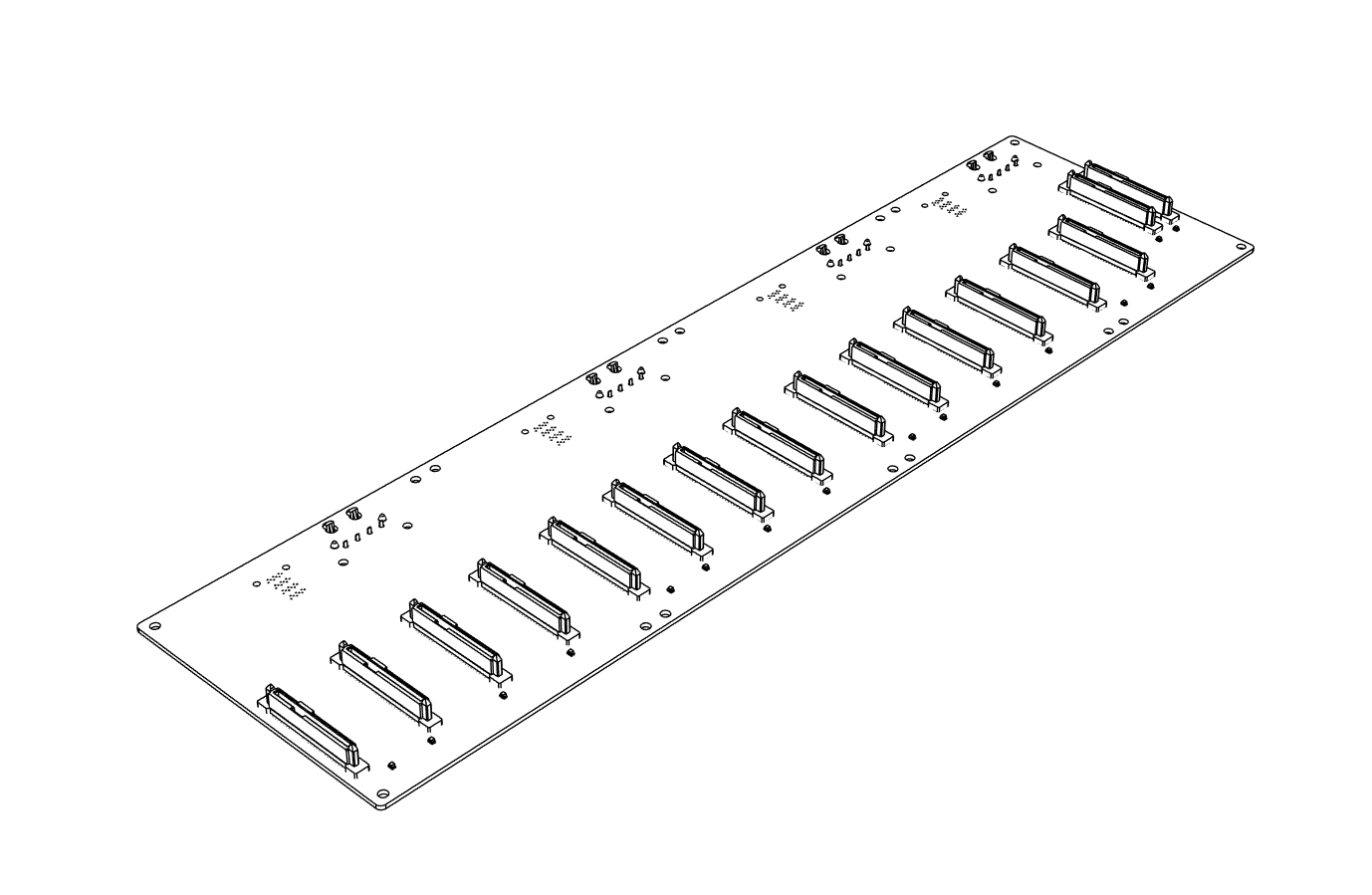
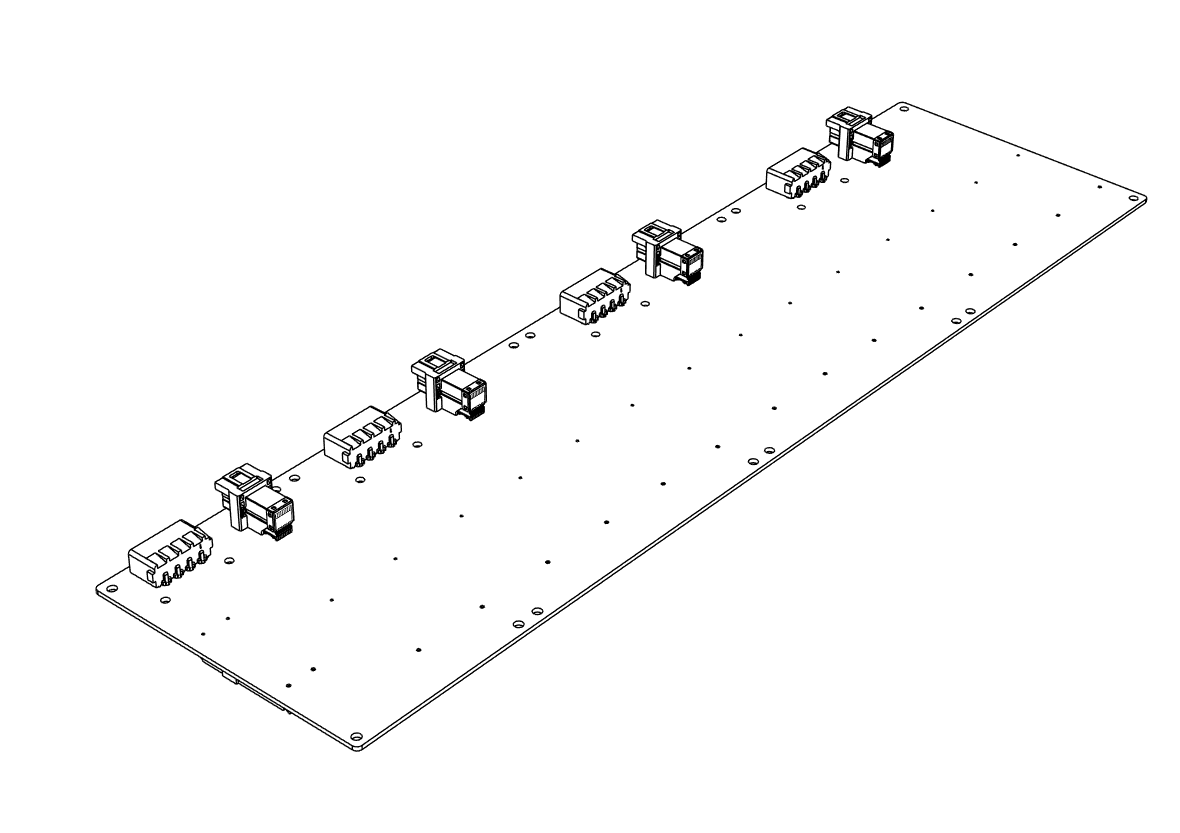
The HF-L1 ships with 1 preinstalled backplane that provides power and data connectivity for the chassis drive bays. It is powered directly from the PSU via 4 PATA power cables (no power board required).
Key Features
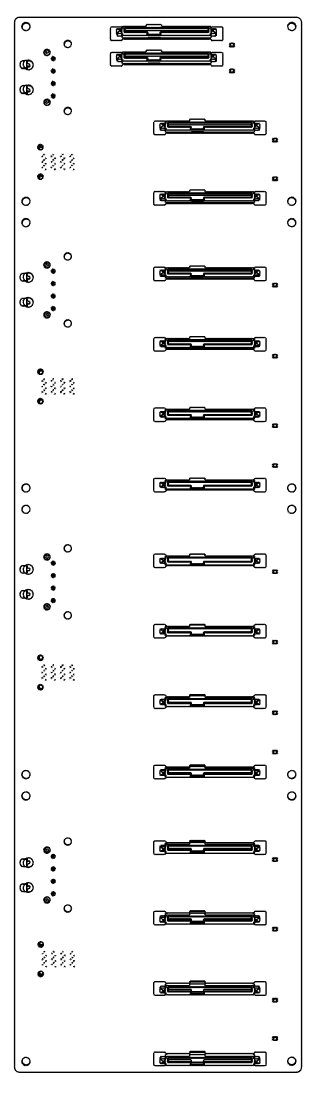
- Supports 14 × 3.5" + 2 × 2.5" drives, or 16 × 2.5" drives
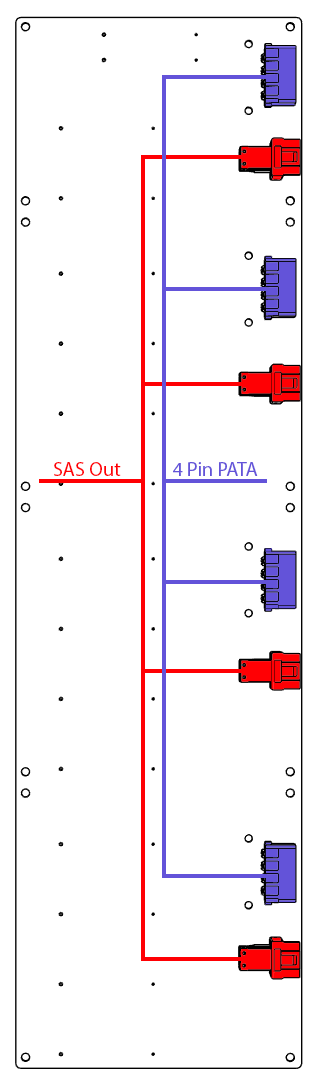
- Powered directly from the PSU via 4 PATA power cables
- SAS connectivity for data
- Hot-swap capable
Technical Specifications
| Parameter | Specification |
|---|---|
| Drive Connectors | 4 x SATA |
| Drive Support | 14 × 3.5" + 2 × 2.5", or 16 × 2.5" |
| SAS Output | 4 SAS Out Connector |
| Input Power | 4 × PATA from PSU |
| Hot-Swap | Yes |
Backplane Diagram

Status Indicators
- Power LED — green when drive is powered
- Activity LED — flashing during I/O operations
Installation Guide
For Drive Cage Installation see Cage Installation.
Drive Installation
- Insert drives gently into the drive cages.
- Gently press each drive down until firmly seated.
- Verify with LED indicators after system power-on.